Purchase receipts
Record stock received from a supplier. Stock and supplier balance (AP) update together when you save.
-
Step 1
Open Purchase Receipts
Trading → Purchase Receipts shows posted receipts newest first. There is no edit page — mistakes are corrected with a purchase return.
Screenshots show the English workspace UI.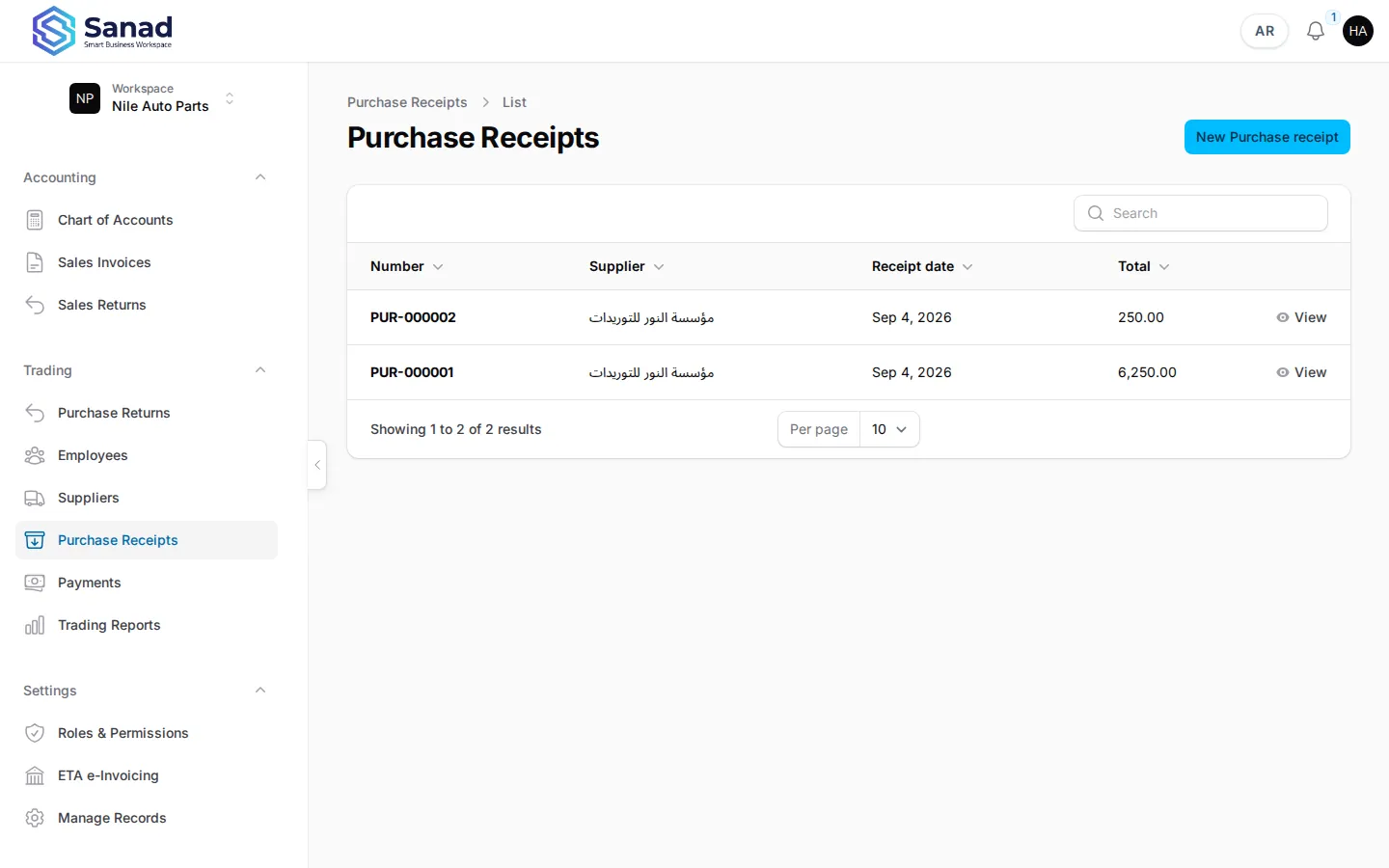
-
Step 2
Create a receipt
Pick a supplier (not the system opening supplier), add lines: inventory item, quantity, unit cost. Save. Stock increases and last cost updates when the item schema has a Last cost field.
Screenshots show the English workspace UI.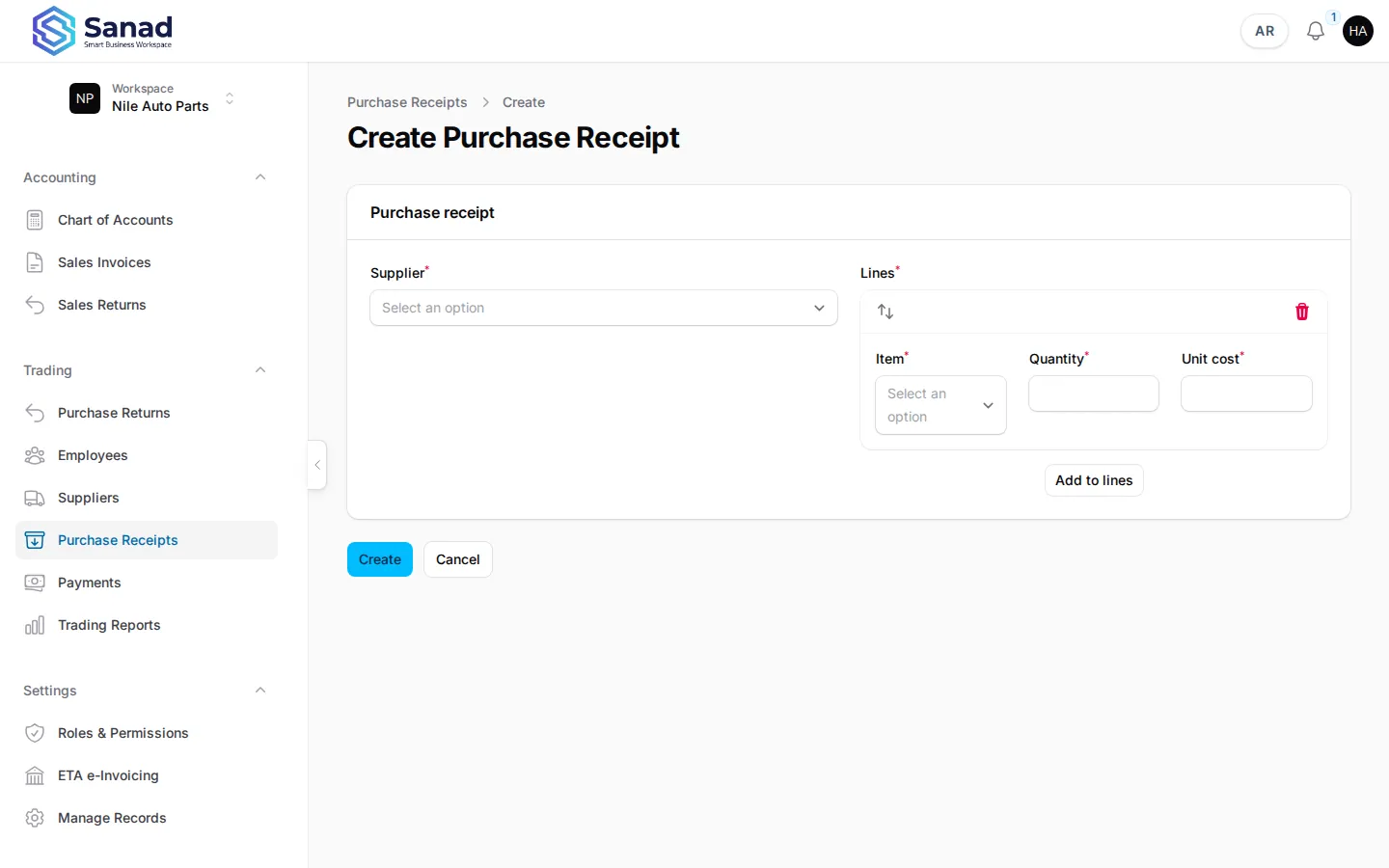
-
Step 3
Review the posted receipt
View shows number, supplier, lines, and total. The supplier AP balance increases by the receipt total until you record a payment or return.
Screenshots show the English workspace UI.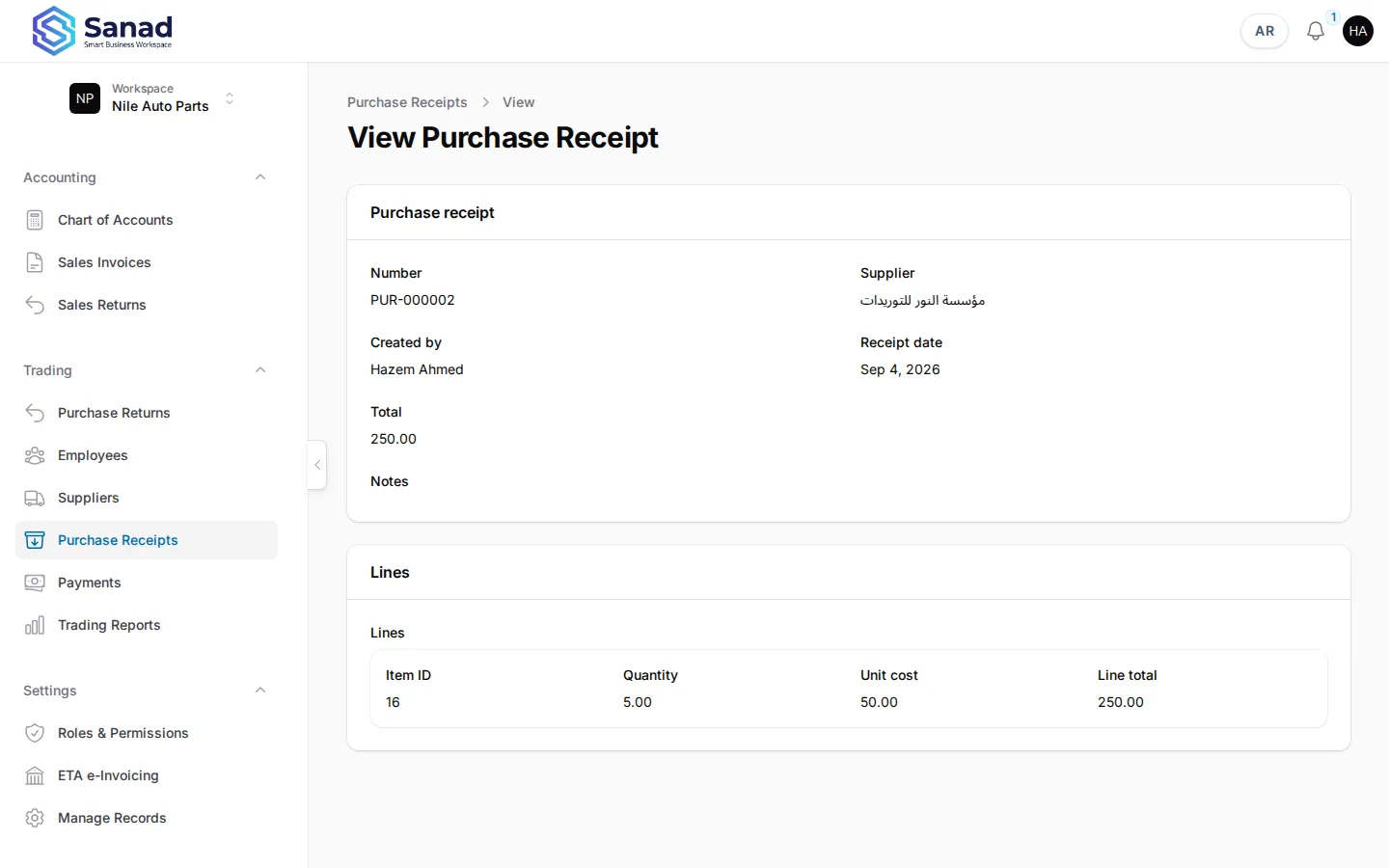
Related articles
Suppliers
Maintain your supplier directory before recording purchase receipts or opening balances.
Purchase returns and exchange
Return goods to a supplier or run an exchange (return + replacement receipt) from one original receipt.
Inventory records on invoices and ETA
Turn a product list into invoice lines that print locally and submit to the Egyptian Tax Authority.